Skip to content

Multi-factor authentication best practices & strategy

Multi-factor authentication (MFA) requests more than one identification factor when users log into network services. These factors could be one-time codes delivered by secure third-party providers. Or they could be biometric identifiers.

The aim of MFA is to verify user identities and strengthen network protection beyond the level provided by traditional passwords. But how should you achieve this goal?

This blog will explain some core MFA best practices. It will also lead you through a step-by-step guide to implementing multi-factor authentication. The result should be an MFA system that ensures rock-solid network protection where it matters most.

MFA best practices

Multi-factor authentication is an essential addition to cybersecurity setups. Properly configured, MFA allows workers to relocate to their homes, connect remotely as they travel, and use cloud resources anywhere.

These MFA best practices will help you create an authentication system that meets your needs.

1. Plan the right MFA solution for your business

Multi-factor authentication is not a one-size-fits-all technology. Choose the right authentication system for your business needs. For instance, types of MFA to think about include:

  • Biometric scanning, such as retinal scans and fingerprints.
  • One-time passwords (OTP) delivered by tokens, email, or SMS.
  • Hardware devices such as security badges, cards and tokens.
  • Contextual factors such as keyboard behavior, location data, and the network are used to make a connection.

Workers could benefit from biometric scanning if your business relies on mobile devices. Quick, user-friendly biometrics can provide secure access away from the office. Smartphones are well-suited to techniques like fingerprint scans.

Workforces where remote working is routine, might prefer hardware tokens or tags. These small devices are easy to carry between work and home. The tokens will still be required to access network resources if devices are lost or stolen. So they are a good extra defense measure.

Whatever solution you choose, it must comply with network infrastructure. Find an MFA system that is compatible with critical apps and employee devices.

2. Create an enterprise-wide MFA solution

Multi-factor authentication solutions must cover all access points to network resources.

Carry out a device audit before sourcing any technologies. This will help you understand which types of MFA tech to choose and how to train employees to use authentication systems.

Cloud assets and on-premises resources should all be included. Protect all cloud endpoints with more than one authentication factor, with additional protections for high-value assets.

3. Manage change to bring users on board

The biggest problem with multi-factor authentication is ensuring employees use authentication tools consistently and safely. Workers may lapse into unsafe behavior if MFA is too time-consuming or complex. That’s why change management is all-important.

Plan a staged introduction that makes every user feel part of the process. Extra authentication methods will disrupt working practices, at least for a while. But if you approach employees as participants in the process, they will respond positively.

Inform users about upcoming changes at the start of the project. Explain how MFA will benefit workers and how user identification works. Answer any questions as the project unfolds. Workers need to know exactly what is required and how to comply with security policies.

Change managers can isolate areas of potential resistance. Focus on chokepoints like using third-party devices, managing biometrics, and password management. Provide training and refresh user knowledge after MFA comes online.

4. Create user-friendly MFA systems

When mainstreaming MFA, companies need to craft user-friendly solutions. Systems should minimize friction and maximize speed while remaining secure.

Explore ways to reduce the work of users. Adaptive authentication can remove the need for passwords and use device or location information alongside biometrics. Single sign-on portals can bring services together and make logging on easier.

Where possible, provide multiple options for users. Some workers will embrace retina or fingerprint scanning. For others, it could be impractical or intrusive. They might prefer hardware tokens.

When people choose their own solutions, they are more likely to feel in control. When they “own” their authentication choices, workers will be less likely to back-slide and abandon MFA.

5. Combine MFA with single sign-on (SSO)

As hinted above, one common solution for MFA is single sign-on (SSO). SSO creates a single identity security portal. This gateway allows users to access core resources according to their individual privileges.

SSO fits neatly with MFA. You can combine standard password portals with biometrics and one-time passwords. Using a single portal and extra identity verification factors balances user experience and network security.

  • SSO reduces employee workloads, providing instant system access to all relevant resources. That’s particularly useful when connecting remote workers to cloud assets.
  • MFA supplements password security. This solves some problems associated with SSO, including the repeated use of passwords or the reliance on weak passwords that are easy to hack.

6. Make use of contextual factors

Multi-factor authentication systems use more than biometric scanners and hardware tokens. MFA can also leverage contextual information about individual users and their devices.

Contextual information is passive. Users do not need to provide information consciously. Instead, agents detect data about the user’s device or location. Agents on user laptops can tell whether the computer is in the owner’s home or connected to insecure public wifi. Blacklisting screens out unknown devices or those accessing from unsafe locations.

Users move. They won’t always be located at home. And if employees request access from elsewhere, MFA systems ask them for additional information. That complicates matters for laptop or smartphone thieves with access to worker devices.

More advanced authentication factors are also available for extremely high-security situations. Techniques like liveness testing and biometric keyboard verification provide maximum information about user identities. These contextual factors represent an extremely strong barrier against data thieves when used with physical tokens.

7. Think about passwordless solutions

In some cases, MFA allows companies to remove traditional password access from their network perimeter. Passwords are clumsy to use. Few employees use strong passwords or store them safely. Going passwordless can make a lot of sense from a security perspective.

MFA can use contextual information about mobile devices, user locations, or even user behavior. These factors may be sufficient to allow access when combined with biometric data. This saves time while providing a degree of security. However, strong passwords should be retained to access sensitive data and critical workloads.

8. Implement the least privilege to secure network assets

MFA can apply uniformly to all users, but it’s also better to implement role-based MFA to enforce the principle of least privilege. Part of Zero Trust Network Access (ZTNA), this principle states that users should only have access to essential data and applications. All non-essential resources should be off-limits.

Identity and Access Management and network segmentation are core ZTNA technologies, but MFA also plays a role.

MFA systems can ask for additional information when users try to exercise administrative functions. MFA can also apply conditional access to high-security databases and request additional user credentials at regular intervals.

9. Use provisioning protocols for cloud compatibility

Companies can combine MFA systems and critical cloud assets by using provisioning protocols. For instance, Microsoft Azure Active Directory supports protocols like RADIUS and Oauth 2.0.

Standard protocols like RADIUS make it easier to combine legacy network tools and cloud applications. MFA systems must operate across all network devices and resources. Adopting an approach based on standard protocols makes this possible.

10. See MFA as an ongoing process

Deploying MFA doesn’t end when users start to apply biometrics or hardware tokens. Companies must see authentication as an ongoing challenge requiring constant attention and regular audits.

The threat landscape does not stand still. New phishing techniques emerge monthly. Novel malware threats can compromise previously secure endpoints. Network managers must be aware of these developments. Security teams must update MFA systems to reflect real-world cybersecurity risks.

Regularly assess MFA systems to ensure they are delivering effective security. Are workers using them properly? Do you need to use more or different authentication factors? Are any gaps not covered by authentication processes?

Companies also need to be persistent and determined when deploying MFA. Most MFA solutions experience problems. Users regularly report difficulties, which can cause IT teams to roll back authentication projects. Resist this urge.

Provide support to any departments or individuals experiencing issues. Drill down into the concerns reported by users. They may detect technical issues that were not apparent to security professionals.

Above all, don’t expect overnight success. MFA eventually becomes embedded in everyday work, but this won’t happen immediately.

Step-by-step MFA implementation strategy

When implementing MFA, here are the steps to follow:

1. Train users in how MFA works

Employee education is critical when implementing MFA. Every process must be centered around upskilling and reassuring users.

Poorly informed workers may resist authentication techniques or back-slide to unsafe practices. Here are some things to bear in mind when training staff:

  • Regularly communicate via email from the start of the project. Timely emails will ensure staff are aware of timescales and security policies. They can include contact details for project leaders.
  • Create ways for staff to engage with project managers. Messaging apps like Slack are a good option here. Make staff available to field any queries and provide updates if requested.
  • Stress the positive aspect of MFA. Always focus on why you are introducing MFA and how it will help individuals.

2. Design an MFA system to suit your needs

Choosing the right form of multi-factor authentication is critically important. Some companies find that biometric scanners like facial recognition are appropriate. This works well when end users have access to smartphones with reliable cameras and fingerprint scanners.

Other companies prefer to distribute hardware tokens to remote workers. Tokens provide one-time passwords and can be tracked remotely by security managers.

Questions to ask when choosing an MFA solution:

  • What kind of devices will use your MFA system?
  • Is there a mixture of work-from-home and on-premises end users?
  • Is ease of use more important than pure identity security?
  • Do you need sophisticated solutions with fine-grained MFA controls?
  • Is cost an overriding factor, or can you afford to spend more?
  • What apps and services will your MFA solution interact with? Compatibility is essential to avoid friction and improve the user experience.

3. Apply privileges to roles and individuals

Create privilege levels for different access requests. This allows individuals to access core resources while keeping sensitive data off-limits to those who do not need it.

You might want to request extra identity data when accessing customer records or executing admin commands on cloud platforms. MFA requests every few hours may also be needed when accessing financial records.

Some resources may not need MFA at all. Contextual controls and passwords could be sufficient to protect low-sensitivity resources. However, risk assesses each asset to avoid leaving confidential data exposed.

4. Make sure your MFA implementation is compliant

Authentication is a core aspect of major data security regulations, including HIPAA, GDPR, and PCI-DSS. Sectors like health care or financial processing have specific requirements absent from other business areas. Knowing which regulations affect your business is absolutely vital.

For example, PCI-DSS requires:

  • Strong encryption of all customer data
  • Three-factor MFA for any servers handling customer data
  • Identity management to ensure customer records can only be accessed by authorized individuals

Third-party authentication providers should possess the accreditation. Look for an Attestation of Compliance (AOC) with PCI-DSS or HIPAA. This means the provider has been independently assessed as meeting compliance standards.

5. Create a streamlined way to request backup factors

Sometimes employees lose authentication hardware or business laptops. In these cases, they will probably also lose MFA data. Security best practice involves resetting the user’s account with a backup factor and creating a new set of authentication information.

One option is to enable multiple devices on a single account. If users have more than one authorized device, they can use it to request backup factors and reset their accounts.

Security teams should also be prepared to remove authentication factors from user accounts when thefts occur. There should be a clear process for quarantining compromised factors, making it tough for thieves to use stolen identity credentials.

6. Plan to on-board new remote workers

All work-from-home equipment must be audited and authorized with MFA software installed. But setting up MFA with remote workers can be time-consuming. It may leave security vulnerabilities if staff is left to their own devices.

Many companies provide work laptops for new hires. If you take this route, take time to lead staff through the MFA onboarding process. If necessary, schedule video meetings to explain the process. That way, you can verify that staff properly follow every step.

7. Configure adaptive MFA controls

Before MFA goes live, explore additional security controls your provider offers. This should include adaptive systems to detect anomalies and meet threats proactively.

At this stage, you can blacklist certain access locations. For instance, you may blacklist all public wifi hotspots. But you could even limit access from entire continents.

8. Plan to audit your MFA solution

Plan to reassess your authentication setup regularly. Every MFA implementation experiences some problems. They are generally not deal-breakers and tend to involve easing users into the authentication process.

Check that users are following MFA practices. And make sure privileges match up with risk assessments. Do multiple factors protect confidential data, or can general users access databases?

As new threats emerge, authentication systems can become outdated. Be prepared to update software or add new factors if the situation changes.

How can NordLayer help with MFA implementation?

NordLayer offers a suite of security tools allowing companies to create secure SSE architecture at the network edge. Guard cloud assets, on-premises data centers, and remote work laptops. And make life easy for workers to carry out their tasks.

Our products include 2FA or MFA for authentication to increase security levels while connecting to company networks. NordLayer caters to apps like Google Authenticator or Authy and USB devices to deliver security keys.

Adding MFA is quick and easy, especially when you combine authentication and SSO. The result is all-around security for critical business assets. To find out more, get in touch with the NordLayer team today.

About Version 2 Digital

Version 2 Digital is one of the most dynamic IT companies in Asia. The company distributes a wide range of IT products across various areas including cyber security, cloud, data protection, end points, infrastructures, system monitoring, storage, networking, business productivity and communication products.

Through an extensive network of channels, point of sales, resellers, and partnership companies, Version 2 offers quality products and services which are highly acclaimed in the market. Its customers cover a wide spectrum which include Global 1000 enterprises, regional listed companies, different vertical industries, public utilities, Government, a vast number of successful SMEs, and consumers in various Asian cities.


駭客散布Fantasy資料破壞程式,發動供應鏈攻擊

國際資安大廠ESET揭露駭客Agrius自去年(2022)2月開始的攻擊行動,駭客先鎖定了以色列軟體開發業者下手,發動供應鏈攻擊,目標為該國人力資源、IT顧問公司,以及使用特定以色列軟體的鑽石產業,散布名為Fantasy的資料破壞程式(Wiper),以及名為Sandals的惡意程式啟動器,此啟動器不只能用於執行Fantasy,亦具備讓駭客於受害組織內部環境橫向移動的功能。另外研究人員亦發現南非鑽石產業的組織、香港珠寶商也遭到攻擊。

駭客一旦執行Fantasy,此資料破壞軟體藉由隨機資料覆寫受害電腦的檔案,並將檔案的時間變更為2037年再行刪除;為了消滅跡證,Fantasy還會刪除特定機碼與所有Windows事件記錄,最終將自己刪除。

#若有任何資安需求,歡迎洽詢台灣二版資安專業團隊,服務電話:(02)7722-6899,或上官網查詢:https://version-2.com.tw/

原文出處:https://www.welivesecurity.com/2022/12/07/fantasy-new-agrius-wiper-supply-chain-attack/

關於ESET
ESET成立於1992年,是一家面向企業與個人用戶的全球性的電腦安全軟體提供商,其 獲獎產品——NOD32防病毒軟體系統,能夠針對各種已知或未知病毒、間諜軟體 (spyware)、rootkits和其他惡意軟體為電腦系統提供實時保護。ESET NOD32佔用 系統資源最少,偵測速度最快,可以提供最有效的保護,並且比其他任何防病毒產品獲 得了更多的Virus Bulletin 100%獎項。ESET連續五年被評為“德勤高科技快速成長500 強”(Deloitte’s Technology Fast 500)公司,擁有廣泛的合作夥伴網絡,包括佳 能、戴爾、微軟等國際知名公司,在布拉迪斯拉發(斯洛伐克)、布里斯托爾(英國 )、布宜諾斯艾利斯(阿根廷)、布拉格(捷克)、聖地亞哥(美國)等地均設有辦事 處,代理機構覆蓋全球超過100個國家。

關於 Version 2 Digital
資安解決方案 專業代理商與領導者
台灣二版 ( Version 2 ) 是亞洲其中一間最有活力的 IT 公司,多年來深耕資訊科技領域,致力於提供與時俱進的資安解決方案 ( 如EDR、NDR、漏洞管理 ),工具型產品 ( 如遠端控制、網頁過濾 ) 及資安威脅偵測應 變服務服務 ( MDR ) 等,透過龐大銷售點、經銷商及合作伙伴,提供廣被市場讚賞的產品及客製化、在地化的專業服務。

台灣二版 ( Version 2 ) 的銷售範圍包括台灣、香港、中國內地、新加坡、澳門等地區,客戶涵 蓋各產業,包括全球 1000 大跨國企業、上市公司、公用機構、政府部門、無數成功的中小企業及來自亞 洲各城市的消費市場客戶。

Projections of Zero Trust security

Recent years took cybersecurity to a new level — digital transformation, migration to the cloud environments, and remote work became the synonyms of technological business evolution. The new approach pushed such tech terms as VPN (Virtual Private Network), S(A)SE (Secure (Access) Service Edge), MFA (Multi-Factor Authentication), and many more that turned into essential modern cybersecurity elements.

Zero Trust is one of those most critical terms that already live rent-free in IT managers’ heads. It’s way past the emerging buzzword stage — now, Zero Trust is a security model that dictates organizational cybersecurity strategies and general security approaches. 

But how influential is the Zero Trust model? What’s its role in the near future and its place in a broader picture of cybersecurity? Let’s take a look at what trends to expect in the Zero Trust department.

Password is dead; long live Zero Trust?!

The new cybersecurity era will likely be marked by another iconic moment in the digital age. Rumor has it that we will be done with the passwords in 2023. Hard to say if it’s true, but passwords as single-factor authentication are outdated in the context of the current cybersecurity landscape.

Lost or stolen credentials surge black markets imposing risk to data security. A glance at the high numbers of the latest data breaches of 2022:

  • Slash Next reports 255 million phishing-related attacks in 6 months — a 61% increase compared to 2021.
  • According to Verizon, weak or stolen passwords contributed to 81% of hacking-related data breaches. 82% of breaches were triggered by human error (including social engineering attacks).
  • Nvidia suffered an attack and lost the credentials (email addresses and Windows password hashes) of 71,000 employees.

Keeping in mind that 73% of employees recycle the same personal passwords for work-related accounts – NordLayer’s research about bad cybersecurity habits concluded weak passwords as one of the top vulnerabilities of organization security – the number of leaked personal credentials is a huge red flag for organizations.

Despite education and targeted reminders of password hygiene, more than half (59%) of workers tend to reuse passwords while being familiar with existing risks.

The remaining high data breach statistics only confirm the insufficiency of current actions regarding securing credentials and company data accordingly.

The Zero Trust mindset to ‘trust none; verify all’ is a straightforward change for companies to dismiss careless passwords from their systems and elevate security levels effectively. 

A quick recap: ZT, ZTA, and ZTNA

Zero Trust (ZT) is a trust algorithm that ensures resources within specific networks can be accessed only by verified endpoints — devices or users. Yet when discussing cybersecurity, additional concepts of Zero Trust Architecture (ZTA) and Zero Trust Network Access (ZTNA) emerge — what’s the difference?

overlaping charts showing differences between cybersec solutions

An easy way to differentiate Zero Trust, Zero Trust Architecture, and ZTNA is to define Zero Trust as the driving idea, model, or mindset that puts the theoretical foundation for the application of the method.

The Zero Trust principle turns attention to the main focus points:

  • Make sure to check and verify every endpoint connection request to the network.
  • Solely job-mandatory access rights must be granted to perform role objectives. 
  • Plan for the maximum constraint of user movement in the network in case of a breach.

Zero Trust Architecture is a practical application of the Zero Trust approach when building security policies and IT infrastructure as if there was no traditional perimeter. ZTA combines and implements solutions for:

  • Endpoint verification
  • Network supervision. 

ZTNA is a segment of Zero Trust Architecture that provides a solution to trusted-only application access. ZTNA is integral to the SASE and SSE frameworks for establishing security in remote cloud environments.

What changes does Zero Trust employ: ZTNA’s focus

Instead of discussing Zero Trust at theoretical levels, it’s beneficial to investigate ZTNA to understand what changes it suggests and how companies apply them.

According to Statista, the most common solution organizations used to enable Zero Trust segmentation in 2021 was ZTNA. Identity, Credential, and Access Management followed it.

The popularity of ZTNA comes from its adoption as a more efficient identity- and context-supported solution for controlling increasing attack surfaces in hybrid environments.

As ZK Research indicates, VPN was a go-to solution to manage and protect companies’ IT perimeters. However, VPN performance and security fallbacks brought by backhauling network traffic and open network access make it refer to VPN as a remote work solution only as a temporary one.

Therefore, to secure and connect remote workers while managing distributed endpoint, user, and application networks under the organization’s scope, companies turned to secure network access (SaaS, cloud, and edge) solutions, including ZTNA.

Shrinking the attack surface – limiting the threat actor’s activity in the network by requesting additional authentication or assigned permits to access internal applications – is the key feature of the ZTNA solution.

Prospects of Zero Trust in cybersecurity

Cyberattacks continuously challenge everyone, from consumers to federal agencies, hitting the weakest link — passwords. Attacks are disrupting business operations from intelligence businesses to manufacturers — any company with internet-connected systems and networks is vulnerable.

The Zero Trust approach can mitigate hardly controllable external and internal factors that might lead to a breach. ZTNA enables IT administrators to monitor, manage and interact with connections between endpoints and ultimately conclude whether the connection should be approved or denied.

Driving factors of ZTNA adoption

The peak of ZTNA matched with hybrid and remote work developments globally introduced by the COVID-19 pandemic. Although opinions tend to clash, remote work is here to stay, and ZTNA maintains its importance to business network security.

main factors driving ZTNA adoption

To securely return to old ways of working – the static office-contained perimeter, which is the least challenging to maintain and control – all of the workforce should come back to their corporate desks.

Migration to the cloud is gaining momentum as it offers more flexibility and reduces the complexity of traditional IT perimeter.

The password more often causes security issues than prevents it and needs to be reconsidered and redesigned to move to more sustainable solutions.

Evolved understanding of a workplace with WFA (Work From Anywhere) quickly showed the comforts of working from home or cafe, answering work emails from a personal phone, or watching TV series on a corporate laptop after working hours. Yet these blurred lines stretch the reach of unapproved applications and devices blending into the company network.

Although the digital landscape and new modern habits might be alarming, going backward seems unrealistic. Thus ZTNA helps manage current cybersecurity challenges in this technological evolution.

State of remote work 

There’s no denying that companies will have to accept the turned tables — employees now consider not how many days they will decide to work from home but how often they are willing to show up in the office.

If the workforce is not to return to the office full-time, ZTNA naturally cannot be discarded from the company’s cybersecurity strategy.

banner showing remote work statistics

According to ZK Research 2022 Work-from-Anywhere Study, just one – or even less – out of 10 employees consider 100% work on-site, leaving most of the workforce a risk factor to data and application security.

How do companies adopt Zero Trust? 

Zero Trust is dominant in creating security strategies. Statista survey revealed that one-third of polled companies, as of January 2022, already had a formal strategy actively embracing a Zero Trust policy. Only 20 percent of respondents had no Zero Trust strategy as of 2022.

Statista also concluded that almost one-fifth of respondent organizations completely discard the Zero Trust model as a cloud security strategy while the vast majority (81%) fully or partially embrace Zero Trust model guidelines for building internal security policies.

It’s safe to say that Zero Trust has been assigned an important and influential role in shaping the security infrastructure face. The mindset combines Zero Trust backed practices of accountability, consistency, dependability, and transparency to activities and processes within the organization network.

How to transition to Zero Trust?

Benefits for businesses that adopt ZTNA to enhance the security of their network. Deploying Zero Trust-based features establishes secure cloud access and allows network segmentation for least privileged access to resources.

The model reduces insider threat by protecting internal applications and lowering the potential of account breach risk. Overall, ZTNA adoption supports the company’s journey to achieving compliance requirements.

ztna quote from internal expert at NordLayer

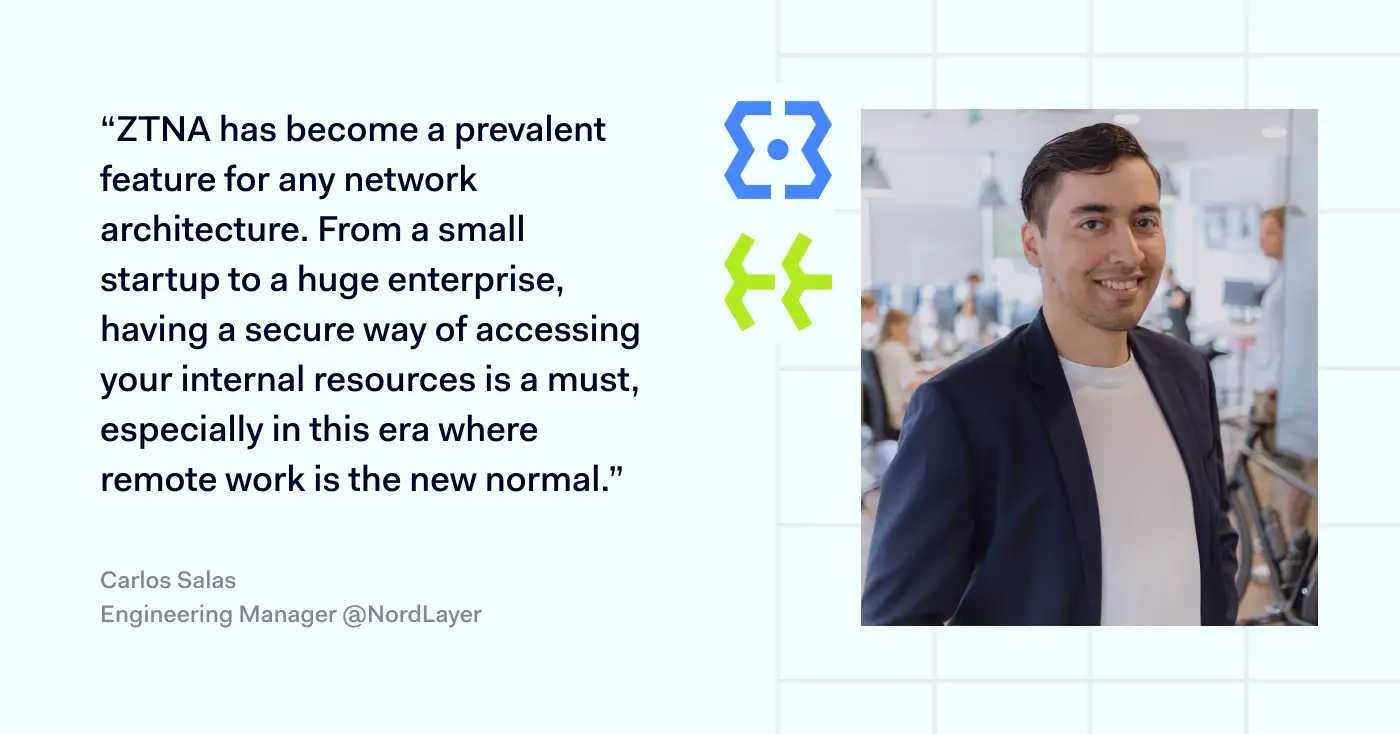
Zero Trust Network Access is a predominant framework of any setup that deals with hybrid work as an alternative to VPN. NordLayer solution makes implementation of ZTNA easy and integrable despite the existing infrastructure in your company. Reach out to learn more about securing your business network with ZTNA within minutes.

About Version 2 Digital

Version 2 Digital is one of the most dynamic IT companies in Asia. The company distributes a wide range of IT products across various areas including cyber security, cloud, data protection, end points, infrastructures, system monitoring, storage, networking, business productivity and communication products.

Through an extensive network of channels, point of sales, resellers, and partnership companies, Version 2 offers quality products and services which are highly acclaimed in the market. Its customers cover a wide spectrum which include Global 1000 enterprises, regional listed companies, different vertical industries, public utilities, Government, a vast number of successful SMEs, and consumers in various Asian cities.


VPN vs. proxy: which should your business choose?

Are you worried about employees leaking private information as they browse the web? If so, you’re probably considering setting up a Virtual Private Network (VPN) or proxy server.

Both technologies mask traffic and conceal your location. But there are significant differences between proxies and VPNs that users need to know. Let’s explore the VPN vs proxy contest in more detail and help you find the ideal privacy solution.

What is a VPN and how does it work?

VPNs are networks that route traffic through private servers before sending it to its destination. When users log onto their VPN client, the service uses special protocols to create a “tunnel” connecting data sources and destinations.

VPNs offer a couple of important security and privacy services:

  • Anonymization. Traffic routed through Virtual Private Network servers is assigned a new IP address. This anonymizes the data source, making it hard for outsiders to track online activity. Outside observers may know you’re using a VPN connection, but your original IP address will be inaccessible.
  • Encryption. VPNs encrypt data from the user device to the virtual private gateway. Any web traffic passing through a remote access VPN server is basically unreadable to outside observers while it is encrypted. Users can still browse the web or access streaming content. But their information and activity will remain private. This is very useful when dealing with financial data.

VPNs are usually paid services. A third-party VPN provider will maintain servers around the world and manage encryption. Users log on via clients, which can be integrated into web browsers if desired.

VPNs also work at the operating system level. This means they cover all traffic leaving or entering a network. They are not restricted to single apps.

What is a proxy and how does it work?

Proxies also use external servers. These proxy servers route traffic from user devices and give each data packet a new IP address. As far as outsiders are concerned, user traffic comes from the proxy’s remote server. This is a major benefit when accessing geo-restricted web content.

On the downside, proxies do not feature data encryption. They can anonymize the identity of a user but not the data they send. Sensitive data remains exposed to attackers, making proxies unsuitable for a business internet connection.

Proxies also tend to be associated with individual applications. They process traffic from web browsers or streaming games. But proxies do not provide all-around privacy at an operating system level.

Understanding the main proxy types

There are various different types of proxy servers, and each has its own use cases:

  • HTTP proxies. Designed to work with web pages and browsers. You can configure Chrome or Edge to route all HTTP traffic through a proxy, or just assign proxy routing to specific websites.
  • SOCKS5 proxies. SOCKS proxies work on the application level and route traffic from specific apps. For example, a SOCKS5 proxy could be assigned to route Skype conversations securely. SOCKS5 proxies are flexible but tend to be slower than HTTP versions.
  • Transparent proxies. Generally invisible to network users. A transparent proxy can filter web traffic and monitor activity. This makes them useful in settings like schools and libraries. Parents could also use them to filter the content available to children.
  • Private proxies. Private proxies provide a dedicated IP address for each user. This does not provide as much privacy as VPNs. However, it can help unblock geo-restricted websites and improve proxy speeds.

Key differences between proxy and VPN

We now know the main features of proxies and VPNs. But here’s the all-important question. How do VPNs and proxies differ, and which one should you choose?

1. VPNs provide encryption

Encryption is the most important difference between VPNs and proxies and probably the key consideration for business users. When you use a VPN, all of your internet traffic is encrypted.

The best paid providers use AES-256 encryption that has no known weaknesses. Encrypted data will be off-limits to thieves, limiting the risk of leaking commercial data. A remote work VPN will also lock down connections between home workers and central offices. So you can establish a secure connection between workloads and user devices.

Proxies never encrypt traffic. All they do is re-route packets and provide IP address anonymization. That can be useful when accessing blocked web pages. But data security will be relatively weak.

2. VPNs handle all traffic, proxies work with individual apps

VPNs function at the operating system layer. They apply encryption and anonymization to all data passing across network boundaries. Businesses do not have to install software on individual apps or configure settings for each service. Privacy controls apply over-the-top – a more convenient solution.

Because they work on the application level, proxies are used with specific software or services. They won’t cover all network connections, potentially leaving security gaps.

3. Proxies may be faster

Proxies don’t need to encrypt data as they route it worldwide. VPNs do. This imposes extra bandwidth overheads. VPNs may be slower, as a result, sometimes making them unworkable for streaming tasks.

However, the best VPNs match proxies in terms of speed. Free proxies generally use cheaper, less extensive infrastructure. So while they use more basic technology, they may be slower than VPN alternatives.

4. You’ll usually pay for VPNs

Proxies have low maintenance costs for providers and are usually free for users. At least, they are free at the point of use. As with most free services, proxy customers are the product. Expect your data to be stored and sold to third parties for marketing purposes.

There are free VPNs as well. However, paid services are recommended for business customers. Paid VPNs charge small fees and provide higher-quality encryption, speed, reliability, and anonymization. They also have stricter anti-logging policies. Your data should remain private and won’t be resold.

Unlike most proxies, good VPNs combine these services with customer support. All-in-all, they deliver much better online privacy for high-end users.

5. VPNs are more reliable

As a general rule, VPNs are more reliable. Your connection will drop less frequently. Speeds will be more regular. A host server around the world should be available at all times.

Proxies can be very reliable but do not have such a strong reputation. Expect connections to drop every now and then, especially when using free proxy services.

VPNs also offer more reliable DNS leak protection. Poor-quality proxies will likely leak DNS information to your internet service provider or the websites you visit. This completely compromises the privacy service.

Similarities between proxies and VPNs

As you can see, there are plenty of divergences between VPNs and proxies. But it’s important to remember the similarities as well.

  • Both proxies and VPNs allow anonymous web browsing. Customers use them to change their IP address. This enables access to previously blocked online services.
  • VPNs and proxies use third-party routers. While you can set up an in-house VPN server or proxy, both services are generally sourced from external partners.
  • Both can be used to control network access. Proxies are often used to block access for employees to certain websites. VPNs can also blacklist websites.
  • Neither represents a complete privacy solution. VPNs are more effective when anonymizing network traffic but are not completely watertight. Both proxies and VPNs can have technical flaws that expose your location. They may collect data to share with commercial partners or governments.

When should you use VPN and when proxy?

A basic rule is that VPNs should be used wherever users need security and privacy. VPNs combine reliable IP anonymization with encryption. This means company data will be protected twice as it passes over the internet. Proxies provide very little protection at all.

VPN connections can be used to enable secure remote work. Employees can install VPN clients on work devices at home and use an encrypted tunnel to join the central company network. Without VPN protection, any data sent from workers to the network will be exposed to attackers.

Site-to-Site VPNs can connect different work locations securely. They extend the main network to other sites, allowing every department or branch to access data safely.

VPNs are also used to transfer sensitive financial data. Companies can use them to make transactions or discuss commercial arrangements. Without encryption, using proxies for these tasks is extremely risky.

Proxies can play a role in some situations. Transparent proxies are often used to prevent access to undesirable websites. Companies could use HTTP proxies to wall off social media during working hours.

A proxy server may also be handy for researching content worldwide, assuming security concerns are secondary. You can use a proxy server to pose as a buyer from different countries and see how prices vary. Or you might access videos and bypass content restrictions.

VPN vs proxy: which is better for your business?

By now, you probably have an idea of which privacy solution to choose. Most businesses should opt for virtual private networks over proxies. A proxy server offers minimal security features. The service may be free of charge and fast, but data sent via a proxy server is always vulnerable.

By contrast, VPNs encrypt data – usually at levels that protect information from attackers. The best VPNs use military-grade encryption. Some offer add-ons like Double VPN protection that makes it hard to tell whether users are even employing a VPN.

VPNs come in business-friendly forms. You can set them up for remote workers, link departments, and integrate VPNs with cloud computing. If you choose a reliable provider, you can talk to support staff and optimize security and privacy. This just isn’t available with any proxies.

How can NordLayer help?

NordLayer can help you implement a secure, fast, and business-friendly VPN solution. Our software-based products include VPN services powered by the NordLynx protocol. This combines speed and cutting-edge encryption.

Create site-to-site setups to cover every workstation. Cater for remote workers, and implement Single Sign On that extends protection to all network assets. To find out more, get in touch with the NordLayer team today.

FAQ

Is a proxy server the same as a VPN?

No. Proxy and VPN servers both route internet traffic and assign anonymous IP addresses. VPNs add encryption to data transfers. They act at OSI layers 3 or 4, while proxies operate at layers 5 to 7.

Do you need a proxy server if you have a VPN?

Probably not. VPNs deliver the same services as proxy servers, with better security, performance, and support. In some cases, you could use a VPN to work around a transparent proxy if you use one to regulate internet activity. But this is relatively rare.

Are proxy servers safe?

Maybe, but how can you be sure? Free proxy services are notorious for leaking and selling data. Users should assume that someone is tracking their activity. A proxy server should never be used to send sensitive data.

Which is faster, VPN or proxy?

Proxies are often faster than VPNs as they do not require encryption. However, speeds also depend on the number of proxy server users, available servers, and the quality of those servers. In many cases, a well-managed VPN will be faster than a cheap, poorly run proxy.

Is Tor a VPN or a proxy server?

Neither. Tor is a network of nodes located around the world. These nodes are free to access. They act as a relay, bouncing traffic between nodes until it reaches its destination. It has some VPN features, such as encryption. However, Tor traffic can often be seen by volunteers, and its exit nodes are often blacklisted. Tor speeds also tend to be slower than proxies and VPNs.

About Version 2 Digital

Version 2 Digital is one of the most dynamic IT companies in Asia. The company distributes a wide range of IT products across various areas including cyber security, cloud, data protection, end points, infrastructures, system monitoring, storage, networking, business productivity and communication products.

Through an extensive network of channels, point of sales, resellers, and partnership companies, Version 2 offers quality products and services which are highly acclaimed in the market. Its customers cover a wide spectrum which include Global 1000 enterprises, regional listed companies, different vertical industries, public utilities, Government, a vast number of successful SMEs, and consumers in various Asian cities.